


Live household shopping lists
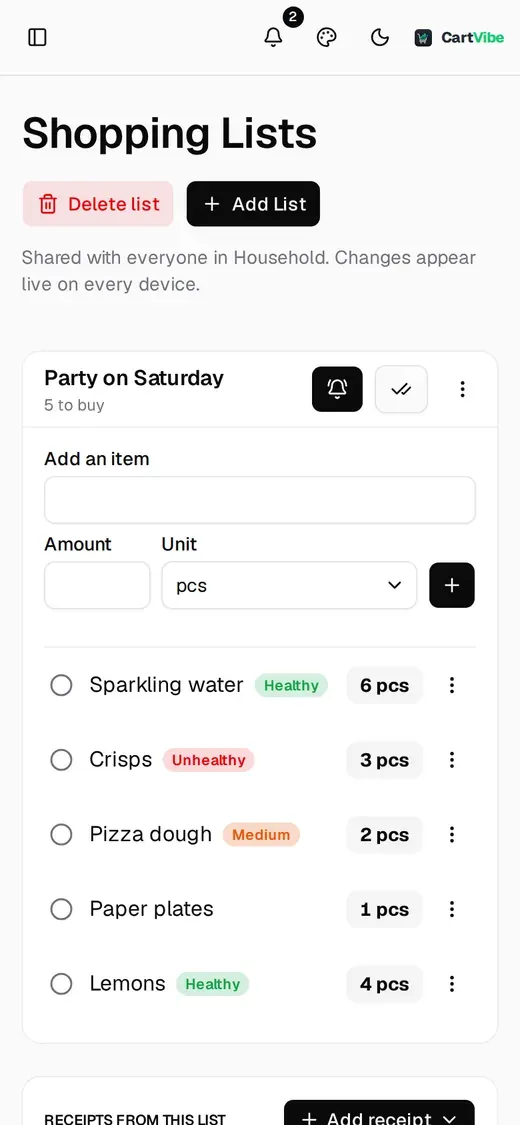
Build the list on your phone, in the shop, one-handed. Add an item and it shows on every other phone in the family; cross things off as you go and mark the trip done. Made for a 360 px screen first.
Scan receipts at the shop, share live shopping lists, and see where the money goes. Made for your phone: run it free on your own server, or get CartVibe for iPhone, coming soon to the App Store.
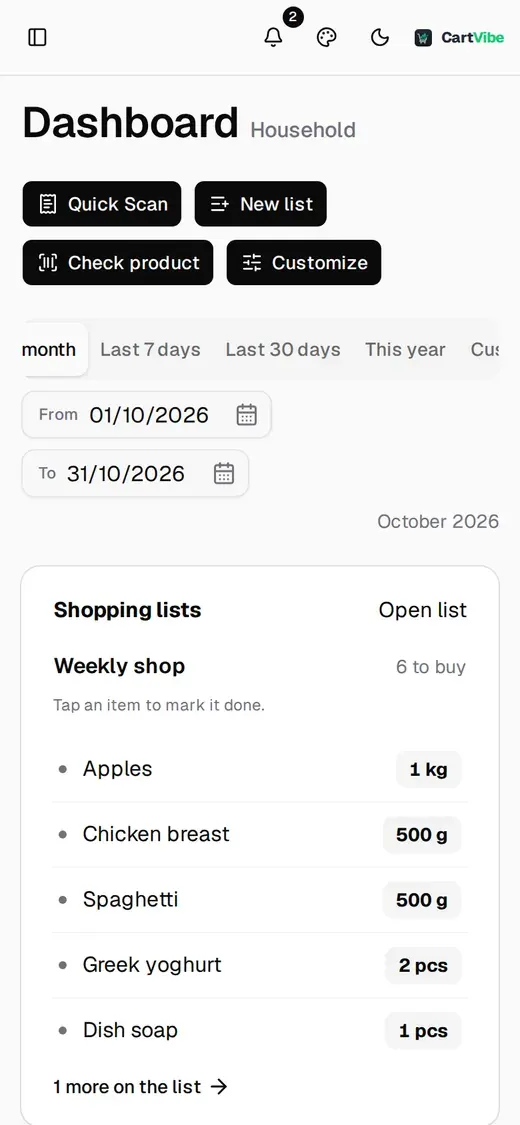
How it works
Build the list on your phone, in the shop, one-handed. Add an item and it shows on every other phone in the family; cross things off as you go and mark the trip done. Made for a 360 px screen first.
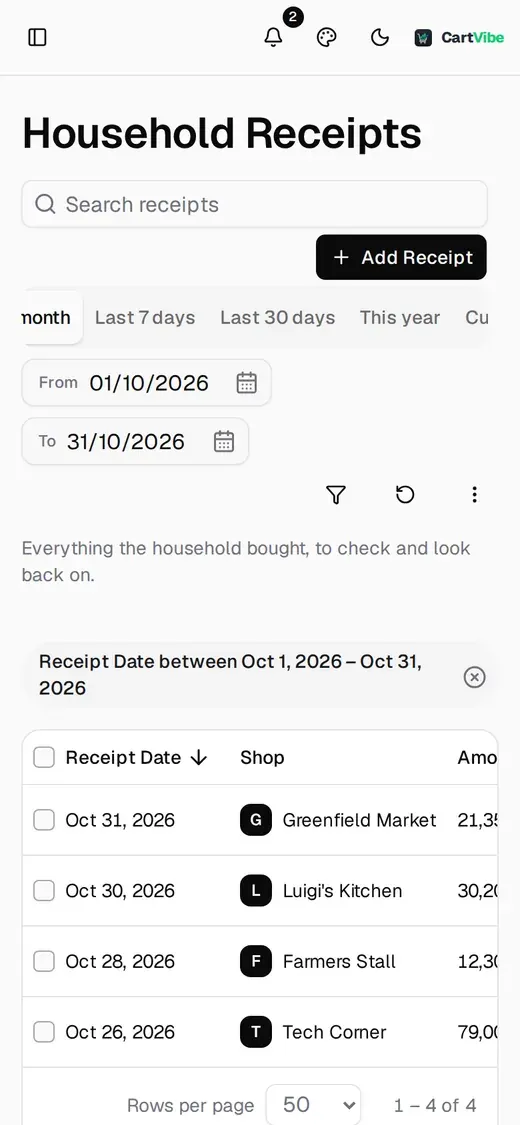
Upload a photo or a PDF and the receipt's lines are read out one by one. Money is kept as exact decimals, never floats, so the lines add up to the cent and a mismatch is flagged instead of hidden.
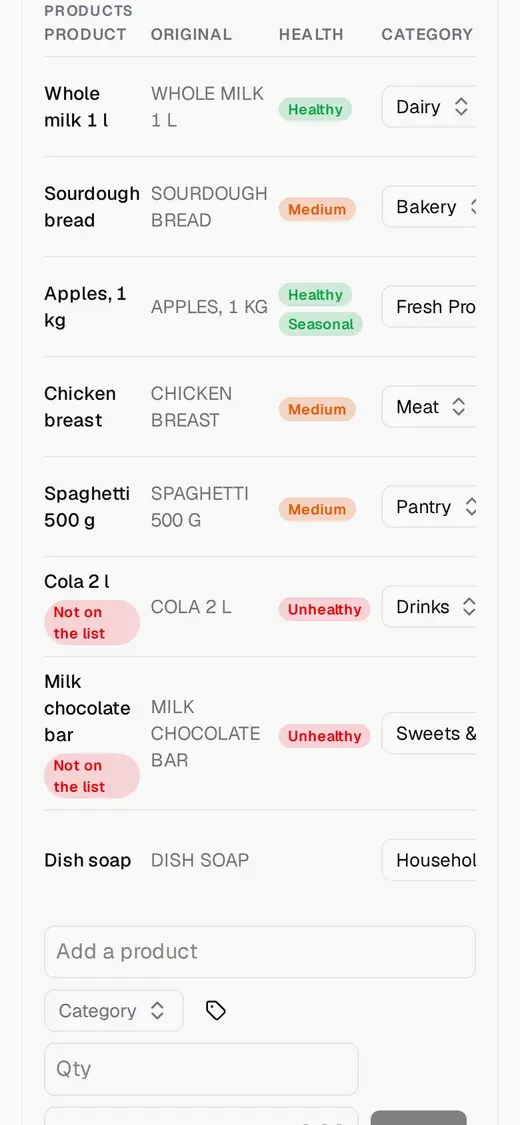
With an AI key switched on, each line gets a category, a food-health rating (healthy, medium, unhealthy) and a planned or not-on-the-list flag. If the AI is offline, slow or out of credit, nothing fails: lines stay planned and unknown until a retry. The AI never assigns your tags.
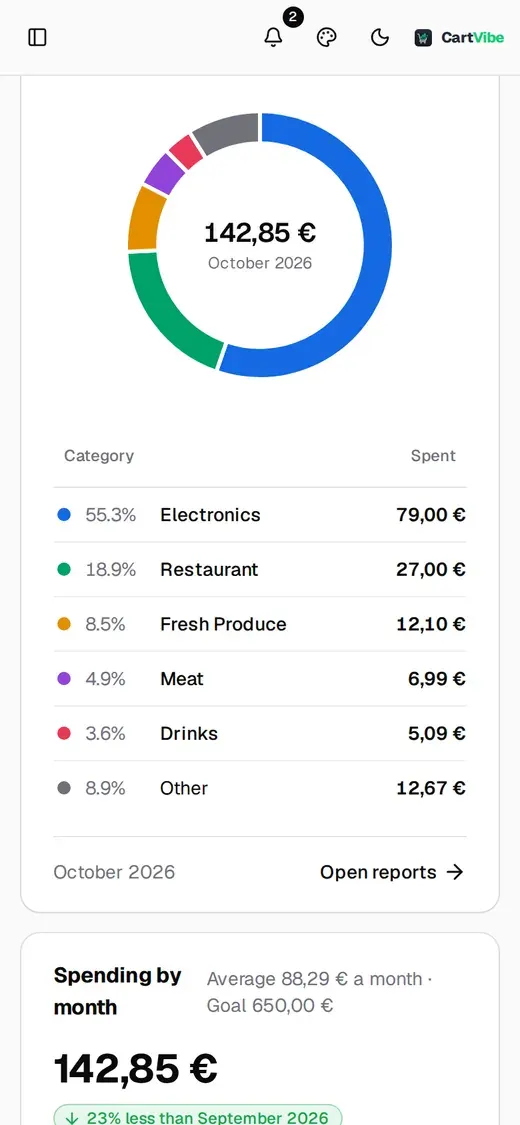
One Dashboard for groceries, eating out, transport, travel, leisure and bills, with a monthly goal you can watch fill up. Everyone in the family can add receipts, and Paid by is already the person signed in.
Warranties
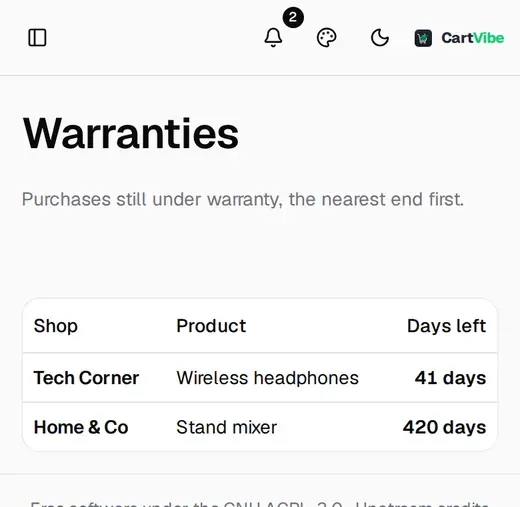
Add a warranty date to any receipt and CartVibe lists everything still covered, nearest end first, with the days left. The Dashboard flags what ends soon.
Reports
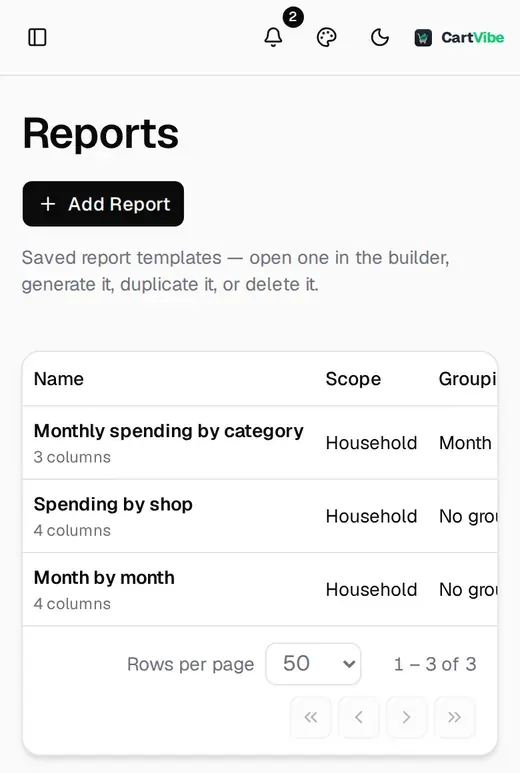
Build a report once and generate it whenever you need it: by category, by shop or month by month. Reports come out as PDF, ready to print or file away.
Barcode scanner
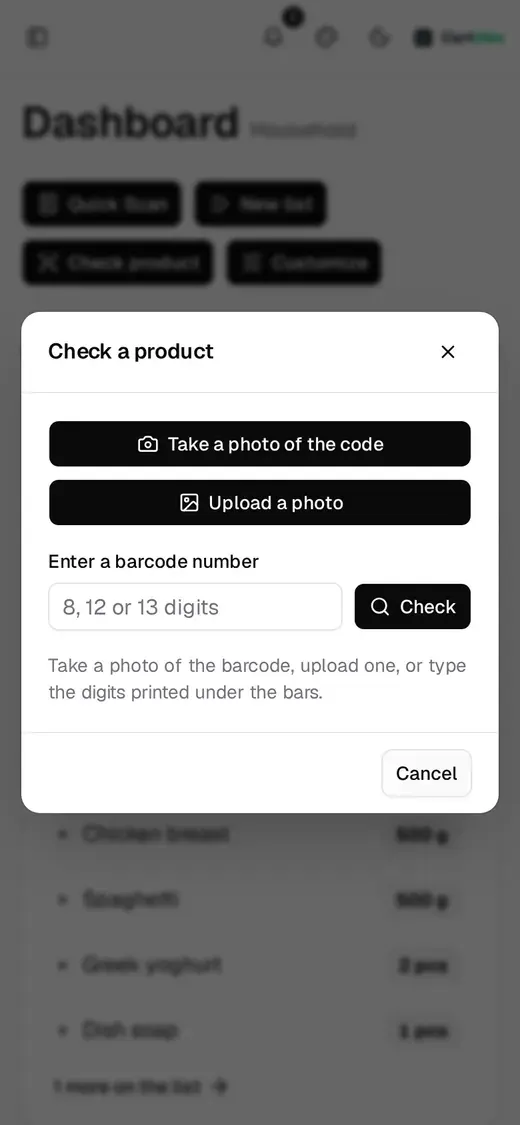
Point the camera at a barcode, upload a photo of one or type the digits. CartVibe looks the product up in Open Food Facts and shows the Nutri-Score, the NOVA processing level, the additives and the nutrition.
On your phone
CartVibe is a web app made for the phone in your hand at the shop. Add it to your home screen and it opens full screen, with the screen kept awake while you shop. Same account and data as the desktop.
Details you notice after a week of using it.
Optional logos next to each shop, with your own free Logo.dev key.
Light and dark modes with four accent palettes. Try the palette button above.
English, Polish, German, French and Spanish.
Labels that are yours; the AI never invents tags.
Keep receipts in other currencies and convert at your own rates.
Everyone can add things. Nobody splits bills.
Press Ctrl or Cmd K to search your receipts.
Going shopping and warranty reminders, when you switch them on.
Shopping lists sync across devices without a refresh.
CartVibe for iPhone, coming to the App Store, reads receipts on the phone itself and keeps your data on the iPhone or in your own iCloud. The family shares a household through iCloud. There is no account to create and no server of ours in between.
No ads, no tracking cookies and no third-party scripts on this site. Self-hosted, your receipts, lists and photos stay on your own disk, and a backup is a copy of a folder. On the iPhone they stay on the phone or in your own iCloud. We run no server that holds your data.
CartVibe is free software under the AGPL-3.0 and a fork of Receipt Wrangler, with the credit kept in the licence files and on this page. No vendor lock-in: you can always run it on your own NAS, mini PC or VPS with SQLite and Docker.
CartVibe next to a spreadsheet and a typical expense app.
| Feature | CartVibe | Spreadsheet | Generic expense app |
|---|---|---|---|
| Your data stays on your own server | Yes | Only if the file stays local | Usually a vendor's cloud |
| Reads receipt photos for you | Yes | No | Some do |
| Keeps product lines, not just totals | Yes | By hand | Rarely |
| Category and health labels per product | Yes | By hand | Rarely |
| Shared shopping lists that sync live | Yes | No | Rarely |
| Warranty tracking | Yes | By hand | Rarely |
| Open source | Yes | n/a | Usually not |
| Free to run yourself | Yes | Yes | Varies |
Expense apps differ a lot; the last column is a general picture, not a claim about any one product.
Run the open-source web app on your own server, or use the iPhone app. Neither one sends your data to us.
Available today
Free forever
Open source, on your own server: a NAS, a mini PC or a VPS.
Free to start
A native app for the shop: scan a receipt or tick off the list, even offline. No server to run.
It is a separate app from the self-hosted one and does not connect to your server. It is not on the App Store yet; news goes on its GitHub issue.
Follow the iPhone appROADMAP & FEEDBACK
Features are prioritised by thumbs-up reactions on GitHub. Add yours to an idea you want, or request a new one.
The roadmap loads public issues from GitHub when you open this page. That request goes to GitHub, carries no cookies and no referrer, and the answer is kept in this tab for 15 minutes.
CHANGELOG
A sturdier AI read, a project page with a roadmap and a live demo, and groundwork for hosting
Charts on a free licence, no API keys, Valkey for the job queue and a smaller image
All your spending, not only the groceries, and the warranties that come with it
Make it yours: five colour palettes, each in Day and Night
Smaller things that got in the way: dates, buttons, the Dashboard panels, logging in and Quick Scan
Receipts whose products don't match the total, and a proofread of every language
A shopping lists page built around the list you're shopping from, and receipts that are easier to split into products
CartVibe on your home screen, a shopping list made for the shop, and Angular 22 underneath
More languages, reports in your own language, and a choice of AI: Claude, Gemini, ChatGPT or a model at home
A leaner household app: everything a family did not use is gone, reports read the product lines, the Dashboard can be arranged freely, and…
Categories and tags belong to a receipt's product lines · Tags can have their own Dashboard tile · Manage Categories and Tags show an empty state with an Add…
Product Health Checker · Receipts search in the Receipts toolbar (Ctrl/⌘ K or /) · The receipt form's photo has a Preview / Rename / Remove menu
Translations are runtime JSON files (desktop/src/assets/i18n/) · Validation messages · A Language row in User Settings → Theme
The interface is rebuilt on Tailwind CSS and spartan/ui · Dashboard cards keep the whole part of an amount bold and… · Manage pages moved under Admin Settings below Reports
Inside the container the app lives in /app/cartvibe-api
The Docker image is now ghcr.io/wouekk/cartvibe
First CartVibe release: everything the fork has added to the original
A household app for receipts, shopping lists and spending insights. It is a family spending tracker, groceries first, and not business expense software.
For the web app, yes: it is self-hosted. You need Docker with Docker Compose, or a NAS stack manager such as Synology's Container Manager. There is nothing to build: a ready-made image is published at ghcr.io/wouekk/cartvibe, and the quick start in the README has a short compose file. The iPhone app needs no server at all.
No. The AI is optional. Without it you add receipts and product lines by hand, and everything else works the same. With it, an admin adds a Claude or ChatGPT key and Quick Scan reads receipts for you. If the provider is down or out of credit, CartVibe keeps going and retries later.
Only when you turn it on, and only what you scan: the receipt photo or PDF goes to the provider whose key you configured. Nothing is sent to us, because there is no "us" server in the loop. The iPhone app reads receipts on the phone itself.
Self-hosted, on your server: a SQLite database and a folder of files. Back it up by copying the folder with the container stopped. In the iPhone app, on your iPhone, and in your own iCloud if you turn on sync.
Self-hosting is free and open source, under the AGPL-3.0, and stays that way. You pay for your own hardware or server, and for AI usage if you choose to use it. The iPhone app will be free to download, with an optional upgrade sold through the App Store.
Two ways to have one. The web app installs from your phone's browser: add it to your home screen and it opens full screen like an app. And CartVibe for iPhone, a native app, is coming to the App Store.
No. CartVibe for iPhone is a separate app with its own data: it stays on your iPhone and, if you turn on sync, in your own iCloud, where we cannot read it. Your self-hosted server keeps its own data. The two share a name and a look, not a database.
Yes. Accounts are either Admin or User, everyone in the household can add receipts and list items, and nobody has to split bills or approve anything.
Pull the image, start the stack and open it on your phone. The quick start takes a few minutes.
ghcr.io/wouekk/cartvibe


